The Virtual Assistant
The Virtual Assistant is the employee-facing chat panel that AI Assist powers in the Employee Center. It’s the surface most employees mean when they talk about “the AI” — a floating sparkle button that opens a small conversation panel, answers questions, and can create a request without the employee ever opening a form.
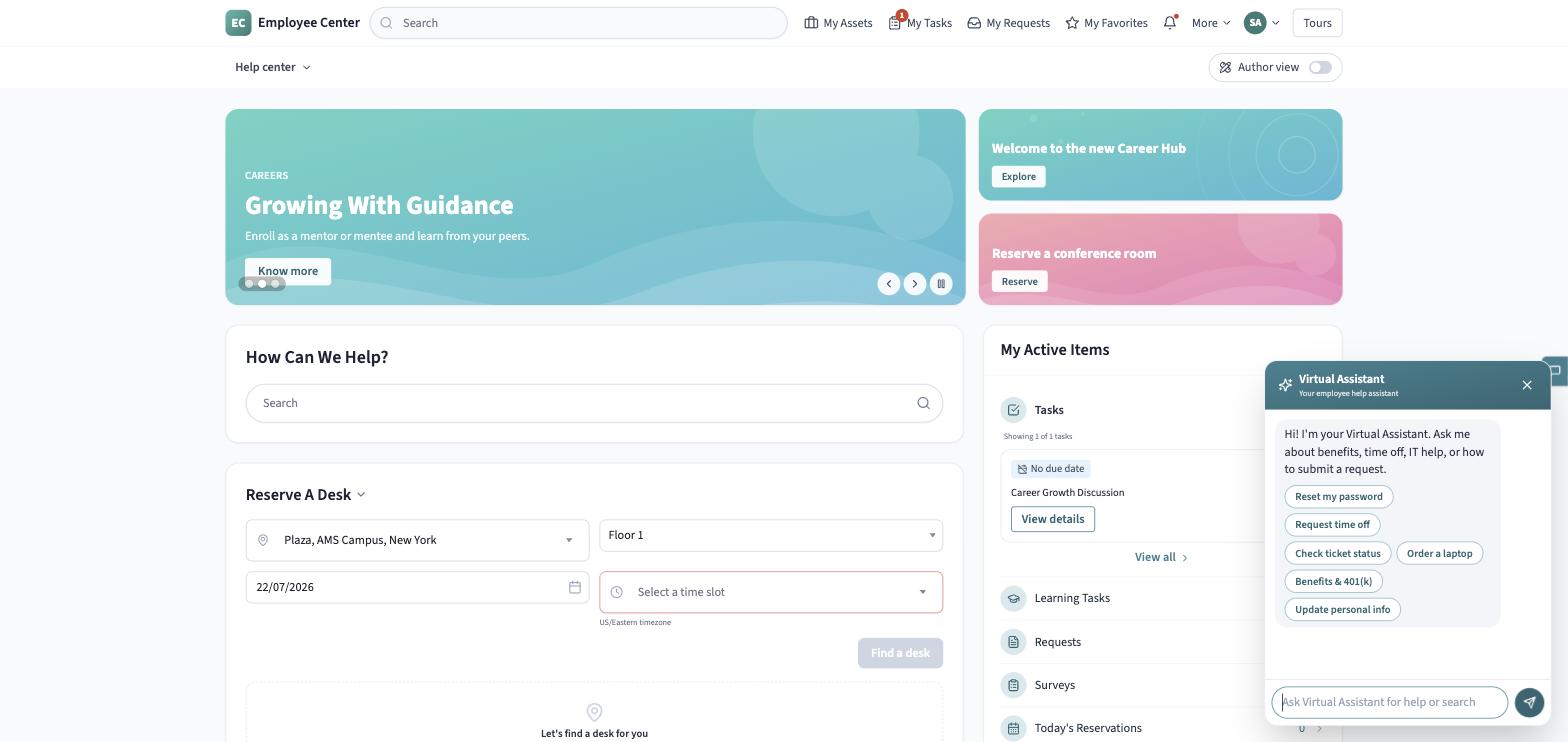
For the full step-by-step walkthrough of opening the panel and using it day to day, see The Virtual Assistant in the Employee Center guide. This page covers what it is as an AI Assist capability, and how it’s governed.
What it does
Section titled “What it does”-
Answers questions in plain language, backed by a live model call when a provider is configured (falling back to a templated reply if the model is unreachable, so the panel never dead-ends).
-
Runs guided topics — an admin-authored scripted flow with its own quick-reply chips, for common questions the organization wants answered a specific way every time.
-
Creates records from natural language. Describe what you need and the assistant proposes creating a real record:
- “I need a new laptop” → an IT request (an incident).
- “Request time off” or a benefits question → an HR case.
- A general “I’d like to request…” → a catalog request.
Nothing is created without an explicit confirmation step first; on “yes,” the assistant creates the record through the same write path the request forms use and replies with a reference number and a direct link to it.
Governance built into every turn
Section titled “Governance built into every turn”Because the Virtual Assistant is an AI Assist surface, every turn passes through the same governance the rest of the platform uses, not a separate one-off integration:
- Scope control. The assistant is scoped to workplace topics. A question outside that scope gets a plain refusal plus a few in-scope examples to try instead, rather than an answer the organization didn’t intend to give.
- AI Assist Guardian. Both the employee’s input and the model’s output are screened against the guardrail policy (toxicity, prompt-injection, data leakage). A blocked turn is replaced with a safe notice; a flagged turn is shown with the sensitive part redacted. Every blocked or flagged turn is recorded so it surfaces in the admin console’s Guardian view.
- Conversation logging. Each turn — input, output, the scope decision, the guardrail outcome, latency, and who sent it — is logged for the Conversations and Performance views in the AI Control Center.
Branding
Section titled “Branding”If the organization has uploaded its own symbol, that replaces the sparkle glyph on the launcher and in the panel header — otherwise the default sparkle is shown.
See AI skills for the equivalent capabilities exposed on a record for agents, and The AI Control Center for where an admin manages the assistant’s scope and guardrail policy.