HR Service Management
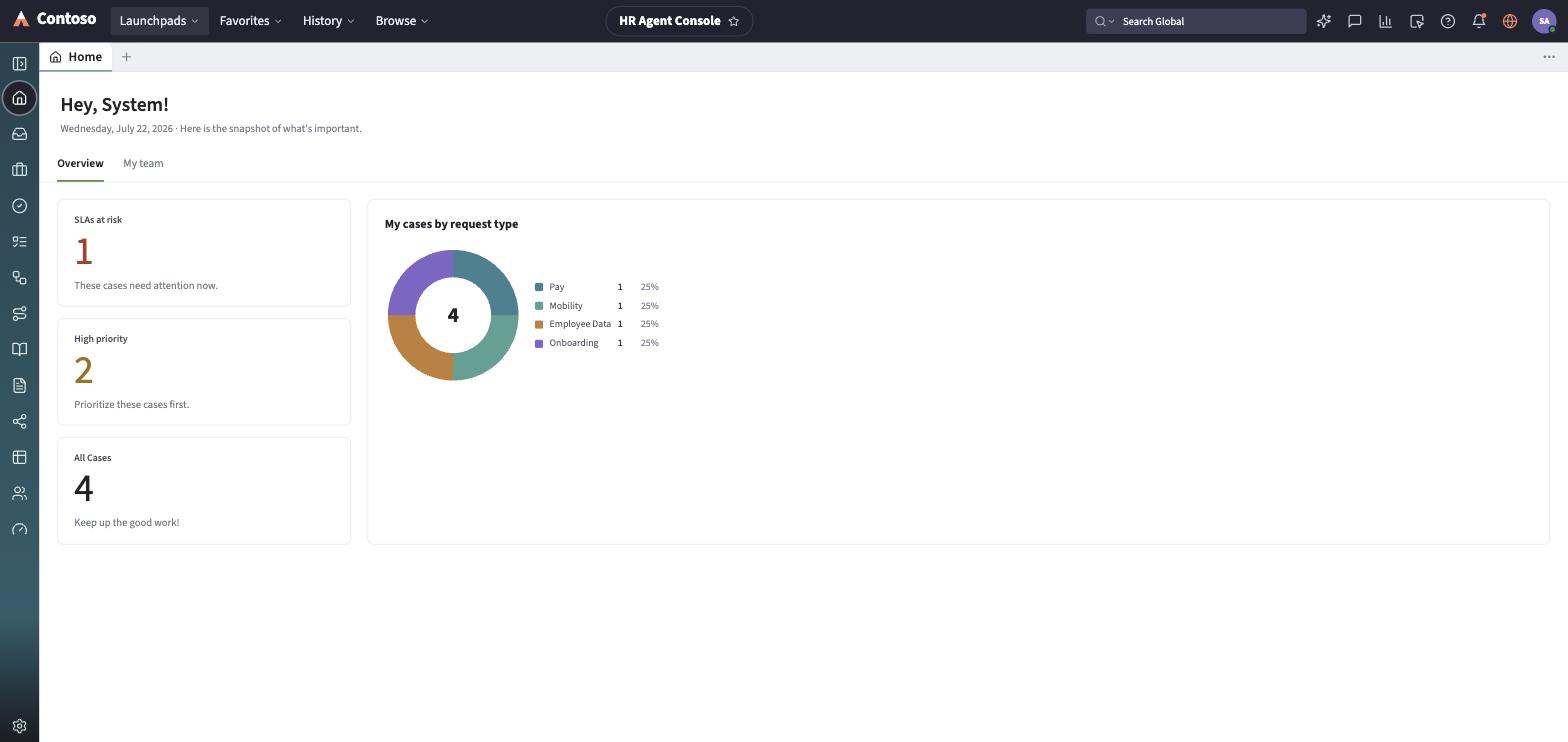
HR Service Management gives HR agents a dedicated console — the HR Agent Console — for employee HR cases and HR tasks, separate from IT and Customer Service work. Agents track cases through Assigned to me, Open, Closed, and All views, and work the related HR Tasks list for the individual steps a case generates. HR cases are grouped by Center of Excellence (COE) — the functional discipline (Payroll, Benefits, Employee Relations, and so on) that owns the case — so routing, security, and the fields on the case form all follow from which COE it belongs to. Employees submit and track their own HR requests from the Employee Center, a separate, employee-facing surface from this agent console.
What it covers
Section titled “What it covers”| Area | What you do there |
|---|---|
| HR cases | Work an HR case from intake through closure, and see which Center of Excellence it belongs to — see HR cases. |
| HR tasks | Work the individual fulfillment steps a case generates — see HR tasks. |
The navigation rail
Section titled “The navigation rail”The rail on the left is how you move between destinations inside the launchpad:
- Home — the HR Agent Console dashboard.
- Inbox — opens the assigned-work panel, backed by the HR Cases list.
- HR Cases — the list of HR cases, across every Center of Excellence.
- HR Tasks — the list of fulfillment tasks generated by cases.
- To-Dos — the checklist items a lifecycle event or journey generates, typically for the employee or their manager rather than the HR agent.
- Lifecycle Events — a swim-lane board of onboarding, offboarding, transfer, and leave-and-return events, each showing the subject person, current activity, effective date, and progress.
- Journeys — the multi-stage plans (onboarding, role change, leadership development, and similar) that guide an employee through a longer arc, with a manager and optional mentor attached.
- Knowledge — the HR knowledge base.
- Employee documents — generated documents and their acknowledgement status (offer letters, policy acknowledgements, benefits summaries, and similar).
- HR Services — the agent-facing browse of the HR service catalog, grouped by Center of Excellence, with a “Create case” shortcut per service.
- Reports — HR reporting.
- Employee Center — a cross-link out to the employee-facing self-service surface.
- Dashboard — the admin dashboard viewer.
Centers of Excellence
Section titled “Centers of Excellence”Every HR case belongs to one of twelve Centers of Excellence, which constrains which HR Services appear on it: HR (Human Resources), Payroll, Benefits, Total Rewards, Compensation, Workforce Administration, HRIT / HR Operations, Talent Management, Global Mobility, Corporate Communications, Employee Relations (ER), and Lifecycle Events (ELE). See HR cases for how a case’s COE shows up on the record.
Every list and record you open in this launchpad follows the same toolbar and layout conventions used everywhere else in the app — that shared behavior is documented once in the launchpads/shared guides rather than repeated per module.