The Virtual Assistant
The Virtual Assistant is the chat assistant built into the Employee Center. It answers questions, walks you through guided topics, and — when you ask for something concrete — creates the request for you.
1. Open it
Section titled “1. Open it”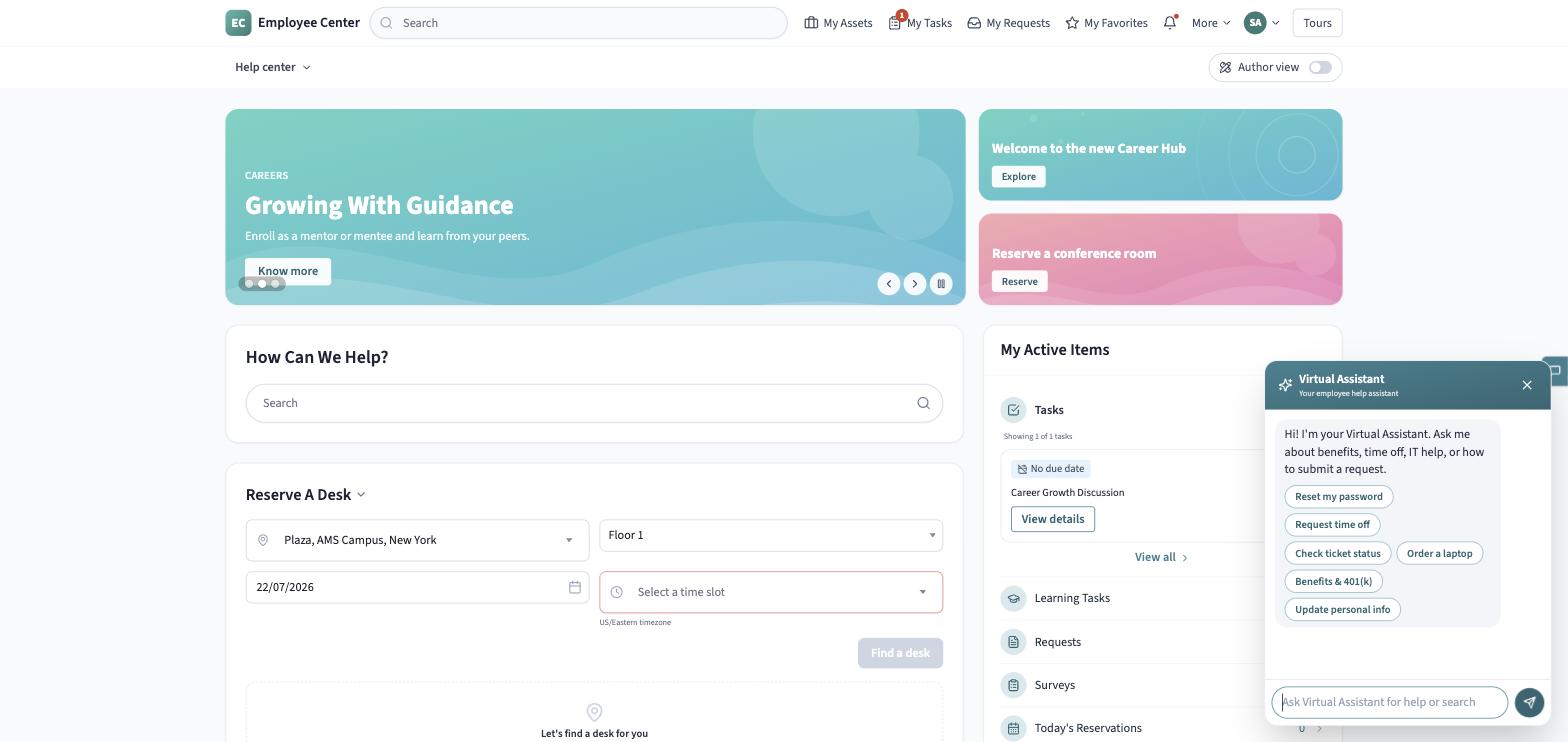
Click the round sparkle button pinned to the bottom corner of any Employee Center page. (If your organization has uploaded its own symbol, you’ll see that instead.) The panel opens with a greeting and a row of suggested topic chips you can tap instead of typing.
2. Ask a question
Section titled “2. Ask a question”Type a question in your own words — “How do I reset my password?” gets a direct answer. Tapping a suggested chip instead starts a short, scripted guided topic with its own follow-up chips, so you can navigate entirely by tapping.
3. Create a record from chat
Section titled “3. Create a record from chat”- Describe what you need — “I need a new laptop” routes to an IT request, “Request time off” to an HR case, and anything else you phrase as “I’d like to request…” to a catalog request.
- The assistant replies with a short confirmation and asks you to confirm before creating anything.
- Reply “yes” (or tap Continue) to confirm, or “no” to cancel. Nothing is created without this confirmation.
4. Open the record it created
Section titled “4. Open the record it created”On confirmation, the assistant creates the record and replies with its reference number and a link straight to it — click the link to open the new record and pick up tracking it the same way you would anything else in My Requests.
Staying on topic
Section titled “Staying on topic”The assistant is scoped to workplace topics — the kinds of things you’d otherwise do in the Employee Center. Ask something outside that scope and it declines, offering a few in-scope examples instead of dead-ending the conversation. If it doesn’t recognize what you’re asking at all, it says so plainly and offers a short list of suggested topics, plus the option to talk to a live agent.
See The Virtual Assistant for the complete reference, including every way it can be started.